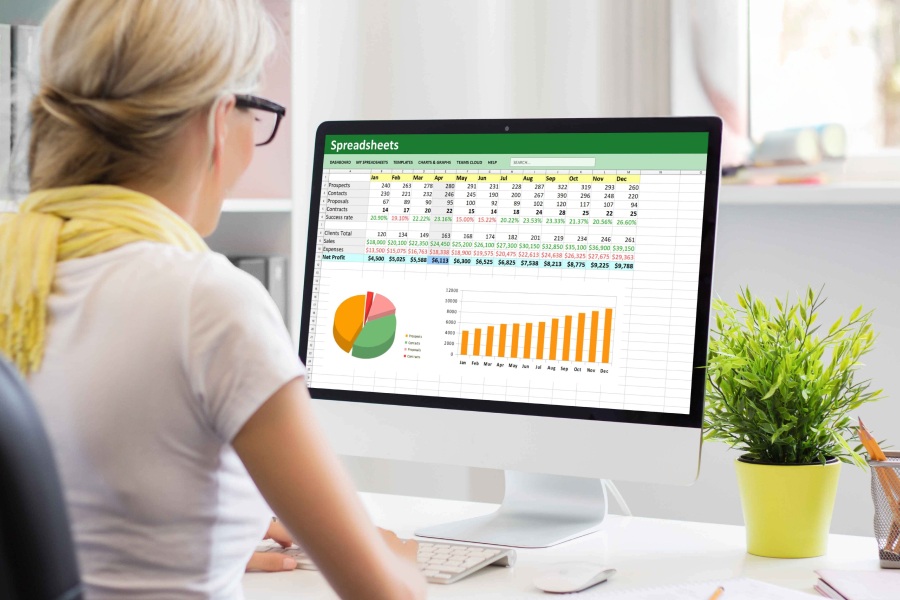
Excel is part of the basic equipment in many companies and is therefore often used as a simple solution for fleet management. Tables can be created quickly and vehicles, drivers and costs can be documented. For small fleets, Excel is often the first solution for fleet management. However, as the vehicle fleet grows, the table program is increasingly reaching its limits.
In this article, you’ll learn what capabilities Excel actually offers, what risks are involved, and when fleet management software is the better choice.
Contents
- 1. What does fleet management with Excel mean?
- 2. Advantages of Excel in fleet management
- 3. The key weaknesses of Excel
- 4. Guide to using Excel in the fleet
- 5. Digital fleet management: when Excel is no longer enough
- 6. Comparison: Excel vs. fleet software
- 7. Which solution is suitable for whom?
- 8. Tips for switching to software
- 9. Efficient fleet management requires modern administration solutions
- 10. Analysis as the key to modern fleet management
What does fleet management with Excel mean?
In fleet management with Excel, the relevant data is recorded manually in tables. The most common areas of application:
- Vehicle management (e.g. master data such as make, model, mileage, leasing period)
- Driver management (driver’s license data, contact person, contact details)
- Cost management (e.g. fuel costs, insurance, maintenance, repairs)
- Maintenance planning (next inspection, MOT, tire change)
- Logbook (kilometers, purpose, period, driver)
This often results in self-developed Excel templates with macros, dropdowns and partially automated evaluations, but even with a lot of effort, Excel remains a tool with considerable limitations.
Advantages of Excel in fleet management
Excel offers a number of advantages, especially for beginners:
- Low costs: Excel is already available in many companies: There are no additional license costs. The existing spreadsheet can be opened easily and used immediately for administration.
- Flexibility: Tables can be customized and expanded. If you are familiar with formulas and macros, you can create your own functions, from automatic calculations to color reminders.
- Transparency with small amounts of data: With a small fleet, the data volumes in Excel also remain clear. Pivot tables and diagrams facilitate simple evaluations and analysis processes. This makes it easy to record and evaluate operating costs for individual vehicles.
The key weaknesses of Excel
However, as the fleet grows or requirements become more demanding, Excel’s limitations become apparent:
- Manual processes. Every change, every maintenance, every driver’s license check must be documented manually. This is time-consuming and carries a high risk of error.
- No legally compliant logbook management. Excel logbooks can be changed retrospectively, which is not accepted by the tax office. Complete and forgery-proof documentation is therefore not guaranteed.
- Lack of automation. Reminders for maintenance, contract expiries or driver’s license checks can only be implemented in a roundabout way. A professional solution takes care of these steps automatically.
- Complex management of larger fleets. As the number of vehicles increases, the table structure becomes confusing. Errors creep in, information is missing or not consistently maintained. Smooth fleet management is hardly possible any more.
- Lack of integration. Interfaces to accounting, telematics, claims management or GPS tracking?
- No way. Excel remains an isolated spreadsheet without any connection to other company systems.
Guide to using Excel in the fleet
If you want to use Excel for fleet management, you should create a clear structure:
- Clearly record vehicle data
- Store maintenance cycles with date and interval
- Maintain driver information including driver’s license data
- Define cost centers and vehicle assignment using dropdowns
- Create regular evaluations using pivot tables
But even with a well thought-out template, Excel remains a tool with a limited degree of automation and a high susceptibility to errors.
Digital fleet management: when Excel is no longer enough
Modern fleet managers are facing growing challenges. Specialized software can make vehicle management more efficient and safer. Advantages:
- Automatic reminders for appointments
- Central data storage
- Connection to external systems
- Transparency for the entire company
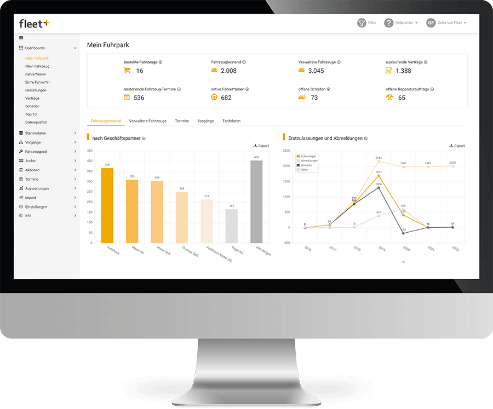
CarWise offers a comprehensive solution for digital fleet management that allows fleet directors, fleet managers, and other decision-makers to maintain full control at all times.
Comparison: Excel vs. fleet software
| Criterion | Excel | Digital Fleet Management Software |
|---|---|---|
| Costs | Low | Depending on the provider and scope |
| Scalability | Limited | High |
| Automation | Manual | Fully automatic |
| Compliance with the Law | Limited | In Compliance with the Law |
| Supports multiple users | Limited | Yes |
| Integration | Hardly possible | Extensive |
| Transparency | Only for small fleets | Complete |
Which solution is suitable for whom?
| Company Size | Recommendation |
|---|---|
| 1–10 vehicles | Getting Started with Excel Using a Template |
| 10–30 vehicles | Criticism of Excel; Software Recommended |
| 30+ vehicles | Software is urgently needed |
Tips for switching to software
- Clean up existing Excel templates
- Analyze and define fleet processes
- Clarify the company’s requirements
- Use trial versions of various software products
- Schedule training for the team
Efficient fleet management requires modern administration solutions
Today, more than ever, a forward-looking fleet operates at the intersection of rising demands, legal responsibilities, and the desire for greater efficiency. Any company that wants to manage its vehicle fleet cost-effectively while keeping an eye on energy consumption and CO₂ emissions needs a modern strategy for digital fleet management. Traditional spreadsheets quickly reach their limits when it comes to these requirements.
Professional fleet management is based on a software solution that maps all fleet management processes in an automated, structured and scalable way. For example, maintenance intervals and fuel costs can be automatically recorded, managed and analyzed – in real time. The benefits: Fleet managers make informed decisions based on up-to-date data instead of relying on estimates or manually maintained lists.
With the right template and the right software solution, a comprehensive overview of vehicles, deadlines and operating costs is possible. Precise calculations, automatic reports and central data storage make fleet management not only more efficient, but also more comprehensible. This ensures greater transparency, saves resources and brings long-term benefits for every fleet management company – regardless of the size of the vehicle fleet.
Analysis as the key to modern fleet management
Data-driven analysis is essential in modern fleet management. Only by regularly evaluating key performance indicators can a company optimize its fleet over the long term. This is not just about reducing costs, but above all about making strategic decisions that ensure operational mobility in the long run.
The fleet is at the center of every successful analysis: Which vehicles cause high operating costs? Where is there unused potential in terms of capacity utilization? How do maintenance intervals and mileage develop over time? Effective fleet management uses this data to improve processes, minimize risks and identify potential savings.
The combination of analysis, fleet transparency and digital processes enables a new form of mobility within the company. It boosts efficiency, increases vehicle availability and facilitates planning. This makes the fleet an active part of the corporate strategy. Data-based fleet management not only improves administration, but also strengthens the company’s overall mobility, now and in the future.
Conclusion: Excel fleet management or software?
- Excel as an entry-level solution: For small fleets with few vehicles, Excel offers a cost-effective and flexible way to manage vehicle, driver and cost data.
- The limits of Excel: As fleets grow in size or requirements increase, spreadsheets reach their limits – manual maintenance, lack of automation, lack of legally compliant logbooks and lack of integration with other systems lead to inefficiency and susceptibility to errors.
- Benefits of digital fleet management software: Professional solutions such as Carano Fleet+ enable automated processes, centralized data storage, legally compliant documentation, and data-driven analytics. They create transparency, save resources, and make fleet management future-proof.
FAQ – Frequently asked questions
Excel is suitable for getting started, but is quickly overwhelmed. Software offers more automation, legal certainty and efficiency – especially for growing fleets.
Only to a limited extent. Manual maintenance and a lack of automation make Excel impractical for daily use in professional fleet management in the long term.
Professional fleet management software such as Fleet+, which makes administration, evaluation and communication automated and legally compliant.
Less than many people think: data can be exported from tables and imported into software. The added value usually becomes apparent after just a few weeks.
The template should be clearly structured and not too complex, contain all relevant vehicle data and be flexibly expandable. It is important that it remains suitable for everyday use by several users in the fleet and does not require too much manual maintenance.
Incorrect entries, missing reminders and incomplete data can have a significant impact on day-to-day operations, especially for growing fleets. Without automated processes, not only does efficiency suffer, but also the reliability of the entire fleet organization.
Other useful articles
- The 5 advantages of fleet management software for your company
- Fleet management tasks: The 10 most important fleet activities
- 10 Tips for Successful and Efficient Fleet Management
- Claims management software: How fleets benefit from digitalization
- Fleet optimization – efficiency and digitalization in modern fleet management